
Why AI Thinks Mary Shelley is a Chatbot (And Why You Should Care)
260830 Billy Hamilton

In March, a screenshot circulated showing an AI detector scoring a 203-word passage from Mary Shelley’s Frankenstein as 99% AI-generated.
The text was pulled directly from the public domain, written by Shelley in 1818. Six other detectors reviewed the exact same text and overwhelmingly deemed it human, with one scoring it 100% human and another finding zero odds of AI authorship.
It is easy to laugh at a piece of software mistaking a 208-year-old novel about a reanimated monster for a machine’s output. But this software isn’t just a harmless toy; it is currently embedded in university plagiarism checks, publishing workflows, and hiring systems.
How the Machine Guesses
AI detectors do not read for meaning or actually catch a person in the act of cheating. Instead, they measure statistical patterns like “perplexity” (how predictable the text is to a language model) and “burstiness” (the variance in sentence length and structure). Because older literary prose often relies on formal, steady sentence structures, it can trigger the exact same mathematical flags as a language model. The tool is measuring a pattern, not authorship.
Worse, there are questionable incentives at play. The detector that flagged Shelley’s work included a “humanize” button that directed flagged users toward a paid rewriting service.
The Real-World Casualties
This is not a hypothetical issue confined to dead novelists who cannot be expelled. These tools are actively punishing the wrong people based on flawed math.
A 2023 study by Stanford researchers showed that seven AI detectors misclassified 61.3% of TOEFL essays written by non-native English speakers as AI-generated.
In stark contrast, only 5.1% of essays written by U.S. eighth-grade students were misclassified by the same tools.
Students have begun taking this issue to court.
In July 2026, a Yale School of Management executive MBA student sued the university over a cheating dispute involving an AI detector.
In February 2026, a University of Michigan student sued after her formal writing style and AI comparison outputs were used as evidence against her in a cheating accusation.
Because of these inherent flaws, some major universities in the U.S. and Australia have already disabled these AI detection features. Even the makers of these plagiarism platforms explicitly state in their 2026 guidelines that their models may misidentify text and should not be used as the sole basis for penalizing a student.
The Mohave Takeaway: Don’t Outsource Judgment
A tool that cannot distinguish between a modern chatbot and canonical English literature from 1818 has no business dictating high-stakes decisions. A percentage score on a screen is just a guess dressed up as a hard number.
If your business or institution is relying on automated detectors to make hiring, firing, or disciplinary decisions, you are giving software-shaped suspicion entirely too much weight.
Are you struggling to create fair, practical AI policies for your team? Let’s stop outsourcing our judgment to software.
How to Stop AI from Overcomplicating Your Spreadsheets
260805 Billy Hamilton

How to Stop AI from Overcomplicating Your Spreadsheets
If you are learning to use Excel and have started asking AI tools for help, you are already ahead of the curve!
Using AI to figure out spreadsheets is one of the best ways to learn!
But if you’ve tried this recently, you might have run into a frustrating new problem.
You go to an AI, ask a simple question like, “How do I find a customer’s name based on their ID number?” and the AI spits back a terrifying, four-line monster of a formula packed with `INDEX`, `MATCH`, `OFFSET`, and `INDIRECT` functions.
It looks like alien code, and it is insanely over-engineered for a basic spreadsheet.
Why Does AI Overcomplicate Things?
When you give an AI a vague prompt, it often assumes you are running a massive, complex corporate database. It tries to account for every single possible error or edge case, which results in a formula that is technically correct, but completely unreadable for a normal user.
I see this happen a lot with ChatGPT. In my experience, I’ve had much better luck using Google Gemini for Excel help, as it tends to give more straightforward, practical answers.
Regardless of the tool you use, getting a simple formula requires a specific kind of prompt. Remember the lesson from my dog Sissy? Specific inputs equal good outputs! (See article below.)
Tips for Prompting AI for Excel Formulas
State your skill level: Tell the AI to keep it basic. Start your prompt with: “I am a beginner at Excel. Please give me the simplest possible formula for this.”
Give exact references: Don’t just say “column 1 and column 2.” Tell the AI exactly where your data lives: “My dates are in Column A and my sales numbers are in Column B.” Pay attention to row numbers when trying to use the output.
Explain the goal, not just the math: Instead of trying to explain the logic, explain the real-world goal. “I want a formula in cell C2 that turns red if the invoice is past due.”
You don’t need a degree in computer science to use Excel, and your formulas shouldn’t look like you have one.
Are your spreadsheets feeling more complicated than they need to be?
The “10% AI” Rule: Why Your Best Thought Partner Might Not Be Human
260805 Billy Hamilton

The “10% AI” Rule: Why Your Best Thought Partner Might Not Be Human
Lately, labeling a memo, email, or article as “100% AI-generated” has become the ultimate corporate insult. It’s the new scarlet letter of business communication—a quick way to signal that a piece of work is lazy, hollow, and not worth the reader’s time.
As a result, many leaders and professionals are quietly hiding their use of AI or avoiding it altogether to dodge the stigma. But in doing so, they are missing out on one of the most powerful productivity tools of our time.
The future of high-impact writing isn’t about choosing between 100% human or 100% machine. It’s about finding the 10% AI sweet spot.
The Missing Ingredient: Authorship
Why does fully AI-generated text often feel so “off”?
It isn’t necessarily that the grammar is bad or the vocabulary is poor. The problem is that AI models generate text by mathematically predicting the next most likely word. They optimize for a safe, sound destination, but they lack genuine perspective.
When we read a thought leadership piece, a strategic plan, or a consulting report, we aren’t just looking for data. We are looking for an author. We rely on authorship to categorize ideas, assign weight to them, and trust the person standing behind them. When AI awkwardly tries to replicate this human confidence—often with pushy qualifiers or aggressive summarizing—it sets off our internal alarms. We want to know a real human did the heavy lifting of figuring out what to say.
AI as a Thought Partner, Not a Ghostwriter
This brings us to a better way to work. Instead of using AI to write your final drafts, use it as a sparring partner.
Think of AI as the smartest, most tireless junior analyst in the room. You can use it to:
Pressure-test ideas: “Here is my thesis for next week’s board meeting. What are the weakest points?”
Connect dots: “I have these three disjointed concepts. How do they relate to each other?”
Overcome writer’s block: “Give me five different ways to open a memo about our new restructuring plan.”
In this model, the AI does 10% of the work—the ideation, the iteration, and the structuring. But when it comes time to actually communicate, you write the words. You type them with your own hands, infusing them with your actual experience, nuance, and professional judgment.
The Takeaway
We need to normalize using large language models to think, without relying on them to speak for us.
The next time you sit down to draft an important communication, don’t ask the AI to write it for you. Ask it to help you figure out what you want to say. When you combine the limitless brainstorming power of a machine with the authentic authorship of a human, you get the best of both worlds.
Be proud to say your next great idea is 10% AI-generated.
The “Smart Intern” Era of AI
260802 Billy Hamilton

We’ve spent the last couple of years getting used to AI as a really smart conversationalist. But the landscape is shifting again, moving from AI that just answers questions to AI that actually executes tasks.
As these tools get more autonomous, we are leaning heavily on the Mohave Philosophy that you should treat AI like a reasonably smart intern.
It is perfectly fine to hand off the heavy lifting—like drafting emails, summarizing data, or structuring a project. But just like you wouldn’t send a brand-new intern’s first draft directly to your biggest client, you shouldn’t let AI run on autopilot.
You should always double-check the work. More often than not, you will want to edit the output to ensure the final product actually meets your corporate voice and communication style. It might do 80% of the typing, but you still need to provide the 20% that makes it uniquely yours.
AI is an incredible assistant, but you are still the boss.
The End of the Blank Slide (and the 3-Hour Formatting Headache)
260727 Billy Hamilton

Let’s be honest: nobody actually likes formatting presentations. You already have the strategy, the data, and the vision. But packaging all of that into a polished 12-slide deck usually means spending hours aligning text boxes, hunting for the right icons, and wrestling with layouts.
Presentations should be about packaging your ideas, not spending half your afternoon acting as an amateur graphic designer.
Thankfully, the tools are finally catching up to that reality. This week, Google announced they are bringing Gemini much deeper into Google Slides, and it is exactly the kind of practical, time-saving tech we love here at Mohave.
Instead of staring at a blank deck, users can now simply ask the AI to generate a new slide, design a layout, build editable diagrams, or automatically match the look and feel of the rest of the presentation. It essentially turns slide design into a conversation.
But here is the most important part—the part that actually matters for your business operations:
It uses your real data.
Gemini can now pull context directly from your existing Google Docs, Sheets, PDFs, and emails. Remember our recent chat about “Stone Soup” and using the ingredients you already have in your pantry? This is that concept in action. Instead of relying on a vague prompt that results in a hallucinated, generic slide, the AI builds the deck based on the real, factual information you’ve already compiled.
If you, your sales team, or your founders are still burning hours manually formatting decks, you are losing valuable time that should be spent on strategy and execution.
Is your business still using hand shovels?
260613 Billy Hamilton

Every headline about AI seems designed to scare us into thinking robots are taking our jobs.
But recently, Amazon founder Jeff Bezos offered a much better perspective. He said:
“If you’ve been digging out a basement with a shovel and somebody hands you a bulldozer, you should be so happy.”
AI isn’t coming to replace you—it’s the bulldozer.You don’t need to be a tech genius to use it. You just sit in the driver’s seat and steer while the tool does the heavy lifting.
The real risk today is that many business owners are exhausting themselves doing manual tasks—like moving data between spreadsheets or drafting repetitive emails—that a digital tool could handle in minutes.
You don’t need to overhaul your workflow overnight. You just need to trade in a few hand shovels.
What My Dog Taught Me About AI Prompting
260430 Billy Hamilton

I want to talk about Sissy, my dog. She does this one specific thing that used to drive me crazy, but I’ve recently realized is actually brilliant.
She will completely ignore you unless you are extremely specific.
If I just say, “Come here”—nothing.
If I try to be polite, “Come here please”—still absolutely nothing.
But if I hit that precise pattern: “Come here please so I can give you a treat”—she immediately complies.
Sissy isn’t suddenly understanding me “better” in that moment. She’s conditioned. She has learned that certain specific words map to certain specific (and rewarding) outcomes, and she’s figured out which patterns matter.
And honestly, that is exactly what is happening when you prompt an AI model like ChatGPT or Gemini.
The AI isn’t reading your mind. It’s not filling in your intent. And it’s definitely not magic. It is simply responding to patterns it has seen billions of times before. Your job is to hit the specific pattern that gets you the specific result you want.
Vague prompt → generic, useless output.
Specific prompt → much higher chance you trigger the right pattern for a valuable result.
It’s the same underlying system of inputs and outputs. Just different species.
If you are looking to get better “compliance” from your AI, here are some of the best tips and tricks we’ve picked up here at Mohave:
1. Lead with the outcome, not the task.
Don’t just say what you want done—describe what a great result looks like. “Write a summary” is weak. “Write a 3-sentence summary that a 10-year-old could understand” is strong and actionable.
2. Give it a role.
Start your prompt with something like “You are an expert in copyediting” or “You are a senior financial analyst.” This helps the model set the right tone, context, and specialized knowledge base.
3. Use examples.
Show, don’t just tell. If you want the output in a certain style, format, or tone, provide an example of what that looks like. One good example is worth ten sentences of explanation.
4. Be explicit about format.
Do you want a table? A numbered list? Three precise bullet points? Say so.
5. Iterate, don’t restart.
If you don’t love the first response, don’t scrap everything. Prompting is a conversation. Add a follow-up instruction: “Make it shorter,” “Make the tone more friendlier,” or “Focus only on the financial data.”
6. Eliminate ambiguity.
Read your prompt back to yourself before you hit enter. If it could mean two different things, the AI will almost certainly pick the wrong one. Rewrite until there’s only one possible, rock-solid interpretation.
Getting AI to give you a “feast” of information, rather than just “boiling a boiled idea,” takes precision. I know that moving from a vague intention to a bulletproof prompt takes practice.
Consider the Source – The White House
260331 Billy Hamilton

We all like to believe that “The Official Source” operates with a certain level of integrity. When we download an app from a major financial institution, a primary healthcare provider, or, say, The White House, we instinctively lower our guard. We assume these established pillars of trust aren’t going to engage in the kind of murky, data-grubbing behavior we expect from a free flashlight app.
We assume that something labeled “official government communication” is, well… just communication.
We are wrong.
The administration recently released the official White House mobile app, promising real-time updates “straight from the source.” It sounds useful. It sounds authoritative.
But when security researchers decompiled the application to see what it was actually doing, they found a digital Trojan horse.
The “Authoritative” Spyware
Here is what the “Official Source” is doing while you read the news:
1. A 4.5-Minute Geofence:
The app is not just asking for your location. It is pinging your precise, granular coordinates and sending them to a third-party server every four and a half minutes. That data isn’t staying with the government; it’s going to OneSignal, a private push notification and marketing company. This level of persistent telemetry transforms a “news app” into a persistent tracking beacon that your IT department does not control.
2. The Power-Grab Permissions:
To function, this “news” app demands permissions that would make a social media giant blush. It wants access to your biometrics (fingerprints and face data), your network connections, and—most alarmingly—permission to modify or delete content in your shared storage. An app with the power to delete files on a device containing company data is a critical liability.
3. The Snitch Feature:
Perhaps the most chilling integration is a direct reporting tool for Immigration and Customs Enforcement (ICE). By combining granular, real-time tracking of the user with a platform designed to report others to federal authorities, the “Official Source” has created a massive, crowdsourced surveillance grid.
The Mohave Audit: Ground Your Trust
Regardless of where you stand politically, the technical precedent is dangerous. This is a primary, established institution using “trust” as a front-end for a federal surveillance and enforcement database.
The lesson here isn’t just about one app. It’s about suspending that “Authoritative Source” assumption.
In your business, who are your “Official Sources”? Your bank? Your payroll provider? Your CRM?
The time to ask, “Is my data being sent to a third party every 4.5 minutes?” is before you grant the permissions.
iOS/Android Users: Go to Settings > Privacy > Permission Manager. Check which apps have “Always” access to location. If it’s not a map or a weather app, turn it off. Especially if you think it’s an “official” app.
Stay safe out there, and never stop considering the source.
When AI Hallucinates Your Bottom Line
260316 Billy Hamilton

I recently came across a “horror story” from a tech lead that made my stomach turn. Their company had been using an AI agent since November to provide quick metric updates to leadership. Everyone loved the fast, detailed answers—until they realized the AI had been hallucinating every single number for three months.
The VP of Sales had redefined territories and the CFO had presented a board deck, all based on “plausible-sounding” percentages that simply didn’t exist. It was only caught by accident during a manual double-check.
The Lesson: “Plausible” is not the same as “Proven.”
Generative AI is a brilliant creative partner, but without a tight integration to your “source of record” (like we discussed with Donor Perfect recently), it’s just a very confident storyteller. If your AI isn’t grounded in your actual database, it will prioritize looking helpful over being accurate.
How to avoid the “AI hangover”:
Audit the Plumbing: Ensure your AI is pulling from a verified data feed, not just “guessing” based on training data.
Trust, but Verify: Run manual spot-checks on AI-generated insights before they hit a Board-level slide deck.
Start Small: Use AI for summaries first, and leave the heavy math to your structured reports until the integration is bulletproof.
Ring/Nest: Your Data is Never Truly Yours
260211 Billy Hamilton

Did anyone notice the detail that when they said the Guthrie woman had not subscribed to store her camera data, but somehow they managed to come up with it anyway? She didn’t have access to it because she wasn’t paying to store it, but they could because it is actually stored anyway.
Ring/Nest have a history of giving your camera data to law enforcement without your permission.
The ESPORTS of Finance: Why Competitive Spreadsheeting Matters
260201 Billy Hamilton

Imagine an arena filled with cheering fans, flashing lights, and announcers shouting over… Microsoft Excel. Believe it or not, competitive spreadsheeting is a thriving collegiate “sport.” In events like the Financial Modeling World Cup, students race to build complex models and audit datasets under intense pressure.
It sounds niche, but there is a major business lesson here: Excel isn’t just a digital notepad; it’s a high-performance engine.
While these “keyboard warriors” might be after a trophy, the skills they demonstrate are exactly what keeps a modern business lean and profitable. Here’s why your team should level up:
-
Automation over Manual Labor: Competitive users don’t manually copy-paste. They use tools like Power Query to turn a four-hour data cleanup into a single button click.
-
Dynamic Decision-Making: A well-built spreadsheet allows you to change one assumption (like a 5% price increase) and see the impact across your entire business instantly.
-
Accuracy at Scale: One “broken” formula can cost thousands. Pros build error-checking into their sheets so a single typo doesn’t tank a projection.
You don’t need to train for the Excel Olympics, but you shouldn’t be struggling with “Budget_Final_v17.xlsx” either. Most companies have the power to revolutionize their efficiency already installed on their computers—they just don’t know how to unlock it.
Go Bananas! A Fun New AI and a Serious Lesson
250916 Billy Hamilton

|
Google’s Mixed Messages and What They Mean for Your Business
250909 Billy Hamilton

|
AI Rights and the Future of Tech Accountability
250901 Billy Hamilton

|
||
|
Excel Just Got a Brain Boost — Meet the New COPILOT Function
250824 Billy Hamilton

“The future is already here – it’s just not evenly distributed.”
― William Gibson
Microsoft is introducing a game-changing feature in Excel: the COPILOT function, now in beta testing and rolling out soon to all users.
This AI-powered formula lets you use natural language prompts directly in your spreadsheet to summarize data, classify feedback, generate ideas, and more—without writing a single line of code.
Whether you’re building reports, analyzing customer sentiment, or brainstorming campaign ideas, COPILOT brings the power of large language models right into the grid. It works seamlessly with your existing formulas and updates automatically as your data changes.
Currently available to Beta Channel users with a Microsoft 365 Copilot license, this feature will be expanding to Excel for the web in the coming weeks.
An AI just aced the U.S. Medical Licensing Exam… what does that mean for you?
250817 Billy Hamilton

I came across a piece of news this week that was too fascinating not to share. An AI system just became the first in history to score a perfect 100% on the United States Medical Licensing Exam (USMLE)! 🩺
Think about that for a moment. This isn’t just about getting the answers right; the AI can explain the complex reasoning behind each answer, citing top-tier medical journals, essentially acting as a world-class tutor.
While this is an incredible leap forward for medical education, it’s also another powerful signal of just how quickly the world of AI is evolving and entering highly specialized fields. We’re seeing AI move from being a helpful assistant to a true expert, and it’s happening faster than anyone predicted.
It’s completely understandable if news like this feels a bit overwhelming. How do you keep up? More importantly, how do you figure out what these advancements mean for your work, your business, or even your daily productivity?
AI is about to reshape the job market in a big way, and we need to talk about it!
250529 Billy Hamilton

A recent Axios article warns that up to HALF of entry-level white-collar jobs in tech, finance, law, and consulting could vanish in the next 1-5 years, potentially pushing unemployment to 10-20%. AI is moving fast from helping workers to replacing them—think coding, customer support, even legal work done instantly by AI agents at a fraction of the cost. Companies like Meta and Microsoft are already cutting jobs, with thousands laid off as they lean into automation.
The scary part? Most people, including policymakers, aren’t ready for this shift.
We need to wake up—now. Solutions like better public awareness, worker training for AI collaboration, and policies to share AI-driven wealth (like a tax on AI transactions) could help soften the blow.
This isn’t just a tech issue; it’s a societal one. Let’s steer this train before it’s too late.
Total Time from Idea to Product < 10 minutes!
250425 Billy Hamilton

This is a Proof of Concept I put together for a client.
I had Gemini generate a poem based on a simple prompt (you will hear it in the audio of the clip), then fed the result to Gemini Veo to generate video, then used Microsoft Clip Champ to generate the voice and mix and export the final product.
Every tool I used was free and widely available to the public!
The Rise of Casual Invocation
250308 Billy Hamilton

The Rise of Casual Invocation
Technology is rapidly integrating into our lives, and “Casual Invocation” is a key development. It’s the use of natural language, often voice commands, to interact with devices easily. Think “Alexa” controlling your home.
Casual Invocation makes tech more accessible and intuitive, moving us away from complex actions like tapping and clicking. It promises a world of effortless control and information access through voice.
While privacy and security are important considerations, Casual Invocation is an exciting step toward more user-friendly and efficient technology. It’s a trend shaping the future.
AI-Only Search Results Coming Soon
20250306 Billy Hamilton
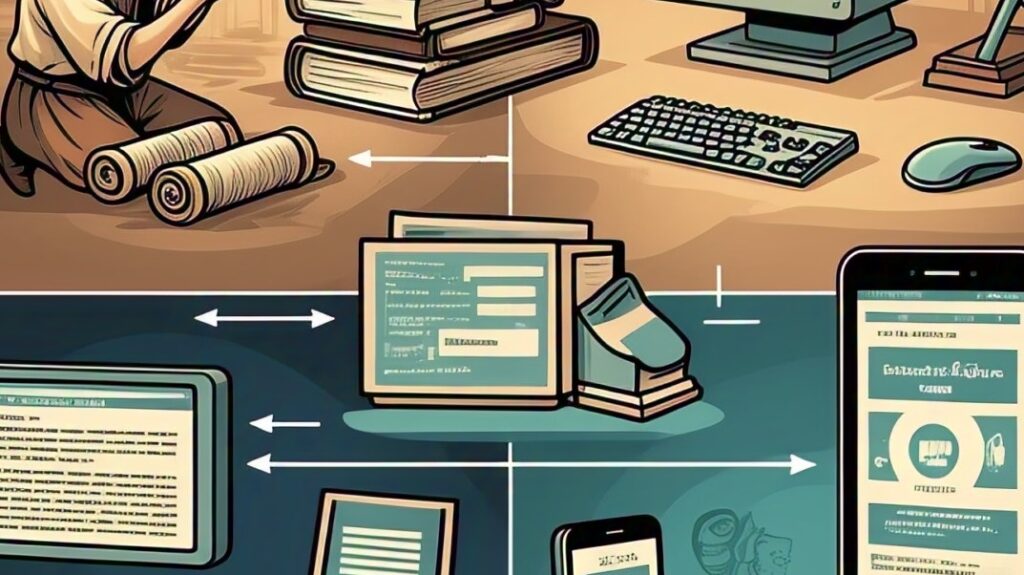
Google may soon just tell users what’s on the Internet instead of showing them. They are working on a version of Google that will only show AI results, similar to the summaries you have begun to see at the top of your search results. AI Mode will not show organic results (list of websites) but will operate in a conversational way, so users will have to refine their search or ask follow-up questions.
This feature is currently in testing for Google One AI Premium subscribers. You can learn more about it here.
What does this mean for your business? It’s crucial to adapt your digital strategy. Let’s discuss how Mohave Consulting can help you navigate these changes.
Exploring the Unintended Benefits of Generative AI
20250227 Billy Hamilton

Anyone else still living in a web-first world? I constantly find myself frustrated by how much better some mobile apps are than their actual websites! It’s like the app is the real flagship now.
For example, I can deposit a check using my bank’s app by taking a picture with my phone. But try doing that from their website? Nope! Gotta go old-school and physically visit a branch or ATM.
Why is this functionality limited to the app? It makes no sense! At Mohave Consulting, we help businesses navigate these digital dilemmas and create seamless user experiences across all platforms.
I’m curious, is this a common experience? Are we heading towards an app-only future? Let’s discuss!
Google has really stepped up!
20250206 Billy Hamilton

Google just put one of the world’s best AI models into everyone’s hands. Gemini 2.0 Flash Thinking Experimental can break complicated tasks down and explain its thought process along the way, similar to OpenAI and DeepSeek’s latest reasoning LLMs.
Anyone with a Google account can try it out on the Gemini app.
If you have questions about how this might be useful for you, or would like an overview of this whole A.I. thing grab some time and we can review!
China has seriously entered the AI game!
20250127 Billy Hamilton
Much of what we have heard about AI centers on U.S. companies.
China has weighed in—in a big way. DeepSeek which just a week ago launched its latest AI model is particularly good at problem-solving, performing on par with OpenAI’s model—but at a fraction of the cost per use.
The AI landscape is constantly evolving, with new players and possibilities emerging all the time. If you would like an overview of the key players, and some insights into how you may be able to use these technologies to advance your business or personal productivity, feel free to reach out.
Preparing for the Unthinkable: Lessons from California’s Wildfires
20250101 Billy Hamilton

As wildfires become an increasingly devastating force across California, they leave behind more than scorched earth and ash; they remind us of the importance of being prepared. While we can’t always predict when a disaster might strike, we can take steps to protect what matters most—our safety, and the vital documents that anchor our lives.
In the chaos of evacuating during a wildfire, you may not have time to gather important paperwork. Birth certificates, passports, insurance policies, and property deeds are all essential documents that could be lost forever if left behind. To avoid this devastating scenario, take these simple but effective steps:
1. Scan and Digitize
Use a scanner or even your smartphone to create digital copies of your key documents. Make sure to include identification, legal records, and financial information.
2. Back Them Up
Store these digital files securely on a cloud storage service like Google Drive, iCloud, or Dropbox. This ensures you can access them from anywhere, even if your devices are destroyed.
3. Keep a Physical Emergency Kit
For peace of mind, keep hard copies in a fireproof and waterproof container. Store it in an easily accessible location so you can grab it quickly if needed.
4. Share Securely
Consider sharing access to your digital files with a trusted family member or friend who lives in a different region. If local communication fails, they can still help you retrieve what you need.
5. Regular Updates
Review and update your digital and physical document collections regularly to ensure they’re accurate and complete.
6. Practice Your Plan
Emergencies can be disorienting. Conduct a fire drill with your household, including steps for gathering your emergency kit and evacuating safely.
By taking these proactive measures, you ensure that even in the face of a wildfire or other disaster, your key information is safe and accessible. Remember, material possessions can be replaced—but having the right documents on hand can make all the difference in rebuilding your life after the fire.
Stay safe, stay prepared, and let’s learn from the lessons California continues to teach us. Feel free to reach out if you would like to discuss approaches to this preparation work, or if you would like specific assistance.
Exploring the Unintended Benefits of Generative AI
20241215 Billy Hamilton
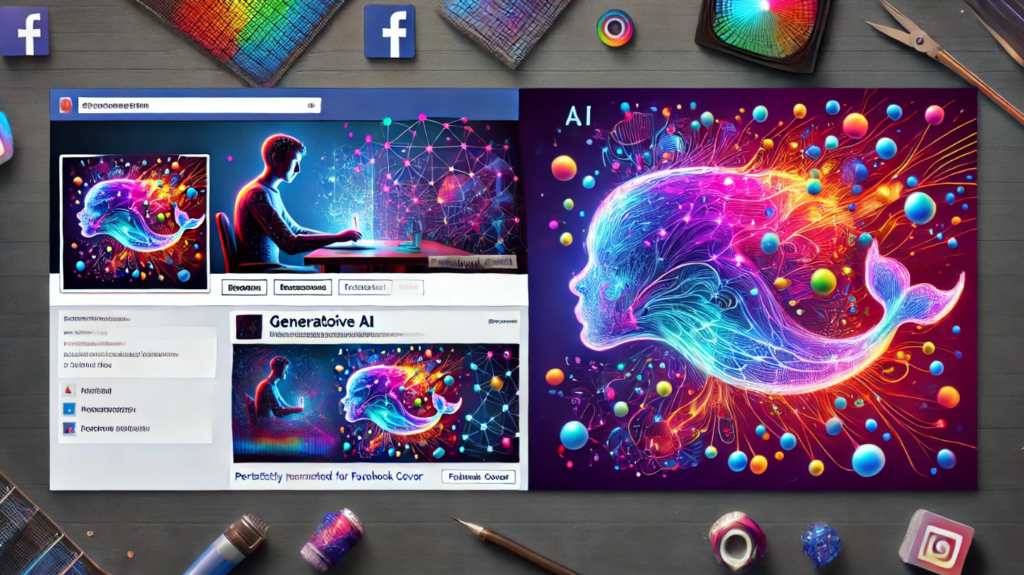
As a technologist, I’ve always been drawn to innovation, and naturally, I’ve been exploring the potential of generative AI. While initially focused on understanding its broader applications, I stumbled upon an unexpected and surprisingly fun takeaway.
I’ve been experimenting with AI-powered image generators, and what started as a curiosity quickly became a creative outlet. I found myself unconventionally using generative AI: replacing the endless search for the perfect emoji with custom image prompts! Why scroll for pages looking for a “purple glass whale” (don’t ask!) when you can generate exactly what you need?
It’s a lighthearted example, but it underscores a powerful lesson: generative AI redefines how we create and communicate, often in ways we don’t anticipate. Whether you’re exploring professional or personal use cases, I encourage you to give it a try—you might be surprised by the creative solutions you discover.
#GenerativeAI #Innovation #CreativeTech